







October 13, 2026
Nowadays, Excel has become a go-to tool for businesses that are dealing with large data volumes. But traditional Excel workflows are less sustainable in such situations.
If you are familiar with Excel, then you might know that simple tasks, including data formatting, dashboard generation, and formula creation, can leave you no time for other duties.
What if Excel can help you spend less time on repetitive tasks and more time on complex business decisions? This is where AI and automation add-ins come into the picture.
Microsoft Work Trend Index has found that 66% of AI users notice that artificial intelligence allows them to focus more on high-priority tasks.
Let's explore the best AI and automation Excel add-ins that can improve productivity and efficiency in the workplace.
14 AI Excel Add-Ins That Save Hours of Manual Work
From data analysis to repetitive calculations, Excel involves plenty of time-consuming work. These 14 AI-powered Excel add-ins can automate those tasks and allow you to spend more time on meaningful work.
Build feature-rich to improve organization and team efficiency OneNote add-ins.
AI-Focused Excel Add-ins
1. ChatGPT for Excel (OpenAI)

ChatGPT for Excel is one of the recognized spreadsheet add-ins proposed by OpenAI. It brings all the functionality of ChatGPT directly into Excel, allowing you to easily carry out any task through natural language commands.
It contributes to many everyday tasks such as:
- Summarizing large spreadsheets
- Creating custom formulas or explaining built-in complex formulas
- Generating or updating the content of sheets
- Interpreting the reports and dashboards
- Formatting the data along with identifying anomalies
Someone with a nontechnical background just needs to command their requirements instead of remembering complex formulas or functions.
2. Claude for Excel (Anthropic)

Claude for Excel is a powerful AI Excel add-in developed by Anthropic to help businesses manage complex Excel data.
Unlike other add-ins, this tool doesn't limit itself to only the active spreadsheet. Instead, it understands the entire workbook structure and continuously reads every cell, formula, and function.
It provides a detailed explanation of the data residing in a cell so that you can verify the final output. Besides, you can push unorganized data from external sources into a structured table format.
It also supports multiple models – Sonnet for Faster and less complex tasks and Opus for complex calculations, deep analysis, and interactive dashboards.
3. GPT for Excel and Word

GPT allows you to perform repetitive tasks through plain language commands. You can directly ask GPT to perform any task instead of processing each row manually.
It can handle bulk data by processing 1 million rows in a single run, which can include mass research, content generation, redundancy elimination, and grouping.
It brings AI directly into the cells through formulas ( =GPT() ) so that users can automate repetitive calculations.
Another interesting functionality is that it supports multiple AI providers, so you can easily switch from one ecosystem to another.
4. OfficeAI for Excel

OfficeAI is an AI-powered third-party add-in designed to bring AI capabilities directly into Excel. For businesses, its value is mainly in reducing manual spreadsheet work and making Excel tasks easier to perform with natural-language instructions.
Depending on the specific versions and features available, it can assist with tasks such as:
- Formula generation and explanation
- Data analysis and cleaning
- Summarization
- Repetitive task automation
Read more: Automate diagram creation with smart and scalable Visio add-in development.
5. AI Agent for Excel

An AI agent for Excel is more than a traditional AI chatbot or formula generator. It is designed to understand a user's goal, determine the steps needed, and perform multiple spreadsheet actions to complete the task.
Instead of telling you how to do something in Excel, an AI agent can potentially carry out the workflow for you within the workbook.
AI Agent works autonomously on multi-step workflows, unlike other formula generators or static functions.
6. Shortcut AI

Shortcut AI for Excel brings natural-language AI assistance to everyday spreadsheet workflows, helping business users simplify formulas, data processing, analysis, and repetitive Excel tasks.
It appears as a sidebar panel in Excel that reads current sheet content as well as the workbook structure without leaving the tab.
You can limit AI modifications to a specific selected cell and also process bulk rows simultaneously.
7. Langdock for Excel

Langdock for Excel is an AI-powered tool that helps businesses work with spreadsheet data more efficiently. It brings AI assistance into Excel so users can analyze data, handle repetitive tasks, and work with complex spreadsheets using natural-language instructions.
Instead of manually performing every spreadsheet task, you can describe what you want to achieve and let the AI assist.
Employees can use AI assistance to understand sales performance, compare monthly figures, identify trends, and summarize information from spreadsheets.
8. Grok for Excel

Grok for Excel is an AI-powered Microsoft Excel add-in developed by SpaceXAI. It adds a conversational AI panel inside Excel, allowing users to analyze spreadsheet data, generate formulas, create charts, and update workbooks using plain-English instructions.
It can assist with:
- organizing records
- sorting data
- correcting spreadsheet structures
- transforming information based on instructions
Businesses can test different assumptions, such as what happens to profit if sales decrease or operating costs increase. Grok can help update spreadsheet calculations to evaluate these scenarios.
Create smarter email experiences with innovative Gmail add-in development services.
9. Perplexity Computer for Microsoft 365

Perplexity Computer for Microsoft 365 is an AI-powered assistant from Perplexity that works inside Microsoft Excel, Word, PowerPoint, and Outlook.
It helps businesses research information, analyze data, create documents, and automate multi-step tasks without constantly switching between applications.
The assistant can help turn Excel findings into a Word report or PowerPoint presentation, reducing the need to copy and reorganize information manually between applications.
10. Autopilot

Excel Autopilot is an AI-powered add-in for Microsoft Excel that helps users automate spreadsheet tasks using plain-language instructions.
It lets users generate formulas, clean data, create charts, build PivotTables, and format worksheets without manually navigating Excel's menus.
It can help identify and clean up inconsistent data, sort records, filter information, and transform spreadsheet content.
Automation-Focused Excel Add-ins
11. Microsoft Power Automate for Excel

Microsoft Power Automate for Excel is a workflow automation solution that helps businesses automate repetitive tasks involving Excel and other applications, such as Outlook, SharePoint, Teams, and Microsoft Forms.
Unlike AI-powered Excel add-ins that let users ask questions about spreadsheets and generate formulas, Microsoft Power Automate focuses on creating automated workflows that run when a specific event occurs or at a scheduled time.
Power Automate can run Office Scripts to update or format workbooks, then send notifications or report files as part of a larger workflow.
12. SAP Analytics Cloud for Excel

SAP Analytics Cloud is a business analytics and planning add-in rather than a general-purpose AI assistant.
Its main purpose is to connect Excel with SAP's governing business data and planning models.
It also offers AI-assisted planning capabilities, but those should not be confused with features provided directly by the Excel add-in.
Build intelligent Word add-ins for faster editing, formatting, and collaboration.
AI + Data Processing Add-ins
13. Fuzzy Lookup for Excel

Fuzzy Lookup for Excel is a free Microsoft Excel add-in that helps businesses match similar text values even when they are not exactly the same. It was developed by Microsoft Research to identify approximate matches between tables.
Unlike Excel's standard lookup functions, which typically require exact matches unless configured otherwise, Fuzzy Lookup can identify records that are similar despite spelling differences, typos, abbreviations, or inconsistent formatting.
14. Yandex Translate

Yandex Translate add-in embeds Yandex's neural machine translation engine into the Microsoft ecosystem, including Excel web, mobile, and desktop versions.
It can be useful for businesses that manage multilingual customer records, product descriptions, surveys, supplier information, or international sales data.
The add-in can read and modify documents and send data over the internet. Businesses should review its privacy practices before translating confidential customer or financial information.
Built-in AI features in Excel (Not Installable Add-ins)
Not all AI capabilities in Excel come from third-party add-ins. Excel also offers built-in features that can help businesses understand data, simplify spreadsheet tasks, and work more efficiently. Let's explore some of these features:
Microsoft 365 Copilot for Excel
For businesses, Copilot can make everyday spreadsheet work easier by reducing repetitive manual effort and helping employees make sense of complex data.
It is a built-in Excel capability, not a separate third-party add-in, although access depends on the user's Microsoft 365 plan, licensing, and organizational settings.
It can assist with:
- Generating and explaining formulas
- Analyzing business data
- Creating charts and pivot tables
- Cleaning and organizing data
- Summarizing sheets
Excel Analyze Data (Ideas)
Analyze Data in Excel is a built-in feature that helps users understand spreadsheet data without manually examining every row or creating every chart themselves. It uses AI to identify patterns, trends, and summaries based on the data in a worksheet.
It can suggest visual representations that make spreadsheet information easier to understand. It is considered the best tool for highlighting patterns in sales, expenses, customer activities, or other business data.
Simplify project tracking with smart and scalable Planner add-in development.
Python in Excel
Python in Excel is a built-in Excel feature that lets users write and run Python code directly within a spreadsheet. It combines Excel's familiar data-handling capabilities with Python's powerful tools for statistical analysis, data visualization, and working with large datasets.
Instead of moving spreadsheet data into a separate programming environment, users can use Python directly in Excel cells to perform more advanced calculations and analysis. It is especially useful for businesses that need more than standard Excel formulas can easily provide.
Power Query AI features
Power Query is an Excel tool that helps users import, clean, transform, and combine data from different sources. It is widely used by businesses to prepare data before analyzing it or creating reports.
However, Power Query is not itself an AI tool. Its main purpose is data preparation and automation. When combined with AI features such as Microsoft Copilot or other supported tools, it can help users simplify parts of their data workflow.
Boost Business Productivity with AI Excel Add-ins
As businesses continue to manage growing volumes of data, relying entirely on traditional Excel workflows can make everyday tasks time-consuming and difficult to scale. From data cleaning and formula generation to reporting and data analysis, many spreadsheet activities require considerable manual effort.
AI Excel add-ins help businesses simplify these tasks by bringing intelligent assistance and automation into their existing workflows. However, choosing the right tool depends on your business requirements.
Ultimately, the goal is not just to work faster in Excel but to spend less time on manual spreadsheet tasks and more time focusing on business growth, productivity, and informed decisions.
Looking to enhance Excel with custom features and automation? Partner with us to build tailored Excel add-in solutions that streamline workflows and meet your unique business needs.
FAQs
1. How can AI Excel add-ins benefit businesses?
They can reduce repetitive manual work, speed up data analysis, simplify reporting, improve productivity, and help employees work with spreadsheets more efficiently.
2. Are AI Excel add-ins useful for data analysis?
Yes. Many AI-powered Excel tools can analyze datasets, identify patterns and trends, summarize information, generate formulas, and assist with creating reports and visualizations.
3. Can AI Excel add-ins generate Excel formulas?
Yes. Several AI Excel tools can convert natural-language instructions into formulas and explain or troubleshoot existing formulas.
4. Are Excel AI add-ins secure for business data?
Security varies by provider. Businesses should review data handling, encryption, access controls, privacy policies, compliance requirements, and whether spreadsheet data is sent to external AI services.
5. What is the difference between AI Excel add-ins and Excel automation tools?
AI Excel add-ins generally use AI for tasks such as analysis, formula generation, and natural-language instructions, while traditional automation tools focus on predefined workflows, data processing, and repetitive tasks.

Kapil Panchal
A passionate Technical writer and an SEO freak working as a Content Development Manager at iFour Technolab, USA. With extensive experience in IT, Services, and Product sectors, I relish writing about technology and love sharing exceptional insights on various platforms. I believe in constant learning and am passionate about being better every day.


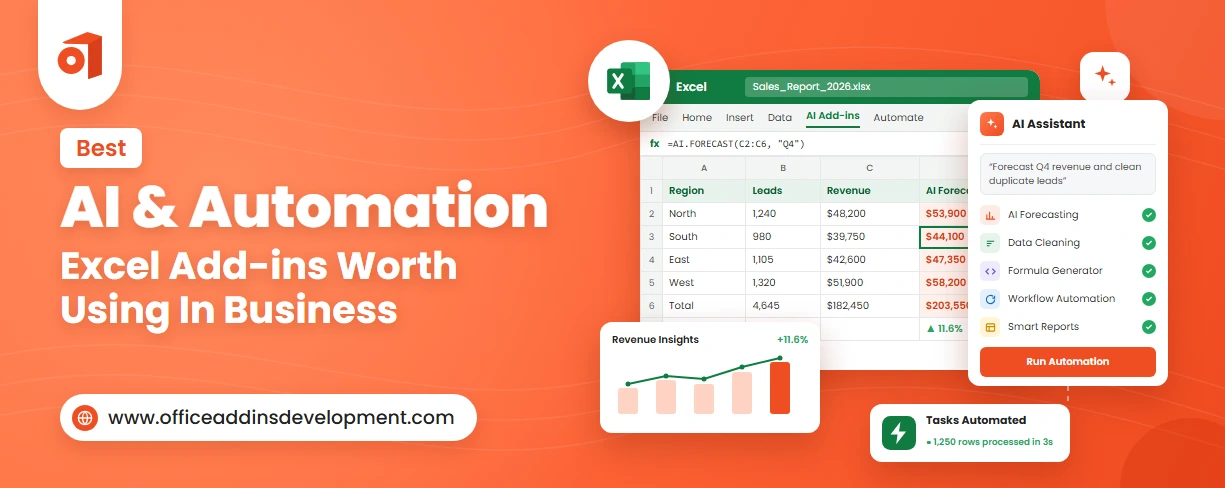 Best AI & Automation Excel Add-ins Worth Using In Business
October 13, 2026
 Benefits of Using Microsoft Graph with Outlook Add-ins
October 08, 2026
 12 Red Flags When Hiring an Office Add-in Development Company
October 05, 2026

 15 Best AI Email Assistants Worth Trying in 2026
July 07, 2026





 Say Hello
 Inquire