







October 08, 2026
Imagine that you are attending an important work email, and suddenly your mind strikes with the thought that you need to check a scheduled event, a file, and some contact details. So, you switch to other Microsoft 365 applications and again get back to Outlook to continue the task you left before. Sounds familiar, right?
According to the Microsoft Work Trend Index, around 62% of people agree that they are spending way too much time searching for required information during their work hours.
At this stage integrating Microsoft graph and Outlook can drive a meaningful change. Microsoft Graph allows Outlook add-ins to access and work with data such as emails, calendars, and contacts, helping bring more functionality directly into Outlook.
To discover how this duo works together to improve your everyday workflow then continue reading this article.
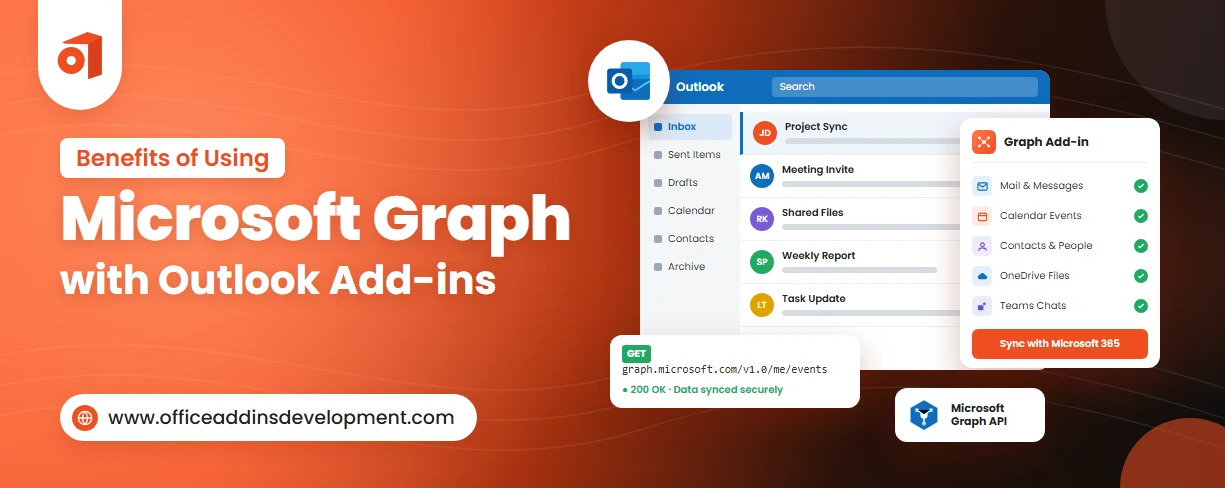
Benefits of Using Microsoft Graph with Outlook Add-ins
Ever wonder what advantages the integration of Microsoft Graph and Outlook add-ins can bring to your workflow? Let's explore the key benefits below:
1. Access Microsoft 365 Data from One Add-in
Microsoft Graph for Outlook add-in eliminates the struggle of using multiple APIs by granting permission to experience all Microsoft 365 services through one URL.
So, users don't need to toggle between applications, the add-ins can bring all required information into Outlook.
This reduces app-switching time and helps create more connected workflows.
Automate diagram creation with smart and scalable Visio add-in development.
2. Build More Powerful Outlook Add-ins
Outlook add-in development services have gone beyond simple emails or basic Outlook functions. By integrating Microsoft Graph, developers can create more advanced functionality directly into the Outlook platform.
Users can use the Microsoft Graph API for Outlook to work with email, contacts, calendars, and other Office 365 resources.
This allows the add-in to provide more functionality that encourages automated workflows and unified business processes.
3. Improve Productivity and Workflow Efficiency
Outlook add-in Microsoft Graph integration provides CRMs, project management tools, and file storage directly into the email platform.
It also automates routine, repetitive tasks, which include:
- Sending regular emails
- Generating replies
- Filtering and flagging urgent messages
- Scheduling events
As a result, Microsoft Graph turns the Outlook add-in into a more efficient productivity tool that simplifies entire business processes.
4. Enable Better Email and Calendar Management
Microsoft Graph allows Outlook Add-ins to work with emails, mail folders, calendars, and events through authorized API access.
Because of this, developers can create add-ins that can manage emailing as well as scheduling from one platform.
For example, an add-in can help users search and organize emails, create or update calendar events, manage meetings, and connect email activity with scheduling workflows.
This reduces the need to switch between different tools and keeps related tasks within a single Outlook experience.
5. Create Personalized User Experiences
Microsoft Graph allows Outlook Add-ins to access authorized Microsoft 365 information that can help tailor features to the user's needs.
By using relevant data such as emails, calendar events, contacts, and user information, developers can create more context-aware and personalized experiences within Outlook.
This makes the Outlook Add-in feel more relevant, useful, and responsive to each user's workflow, rather than providing the same experience to everyone.
Why settle for basic slides? Try PowerPoint add-ins development and present with confidence.
6. Integrate Outlook with Business Applications
Microsoft Graph makes it easier to connect Outlook Add-ins with business applications such as CRM, ERP, help desk, and other internal systems. An add-in can use authorized Outlook and Microsoft 365 data to connect email and calendar activities with information stored in these applications.
This integration reduces manual data entry and application switching while helping businesses keep information connected across Outlook and their other systems.
7. Support Secure Authentication and Access Control
Microsoft Graph helps Outlook Add-ins use Microsoft Entra ID for authentication and authorization.
This means users can securely sign in with their Microsoft 365 account, while the add-in can request only the permissions it needs to access specific Microsoft 365 data.
For example, an add-in may request permission to read emails or access calendar information without automatically receiving access to every Microsoft 365 resource.
This helps organizations control what data the add-in can access and reduce unnecessary permissions.
8. Simplify Microsoft 365 Integration
Microsoft Graph provides a single API platform for connecting an Outlook Add-in with different Microsoft 365 services. Instead of creating separate integrations for every service, developers can use Microsoft Graph to work with resources such as emails, calendars, contacts, users, and files, depending on the permissions granted.
This makes development more organized and helps businesses connect Outlook with other Microsoft 365 services more easily. It also makes it simpler to build connected workflows and features within one Outlook Add-in.
9. Improve Scalability of Outlook Add-ins
Microsoft Graph can help developers build Outlook Add-ins that grow with changing business needs.
As an organization needs more features or wants to connect with additional Microsoft 365 services, developers can use the relevant Graph APIs and permissions to expand the add-in's capabilities.
For example, an add-in that initially works with emails can later be extended to support calendars, contacts, files, or other Microsoft 365 resources. This makes it easier to add new functionality without completely rebuilding the solution.
Expand your business potential with a top-notch Gmail Add-in development company.
10. Support Cross-Platform Microsoft 365 Workflows
Outlook Add-ins are web-based solutions that can work across Outlook on the web, Windows, Mac, iOS, and Android, although feature availability can vary between clients.
When an Outlook Add-in uses Microsoft Graph, developers can connect the add-in with Microsoft 365 resources such as mail, calendars, contacts, users, and files. This helps businesses create workflows that remain connected across different devices and Outlook environments.
Build Smarter Outlook Add-ins with Microsoft Graph
Microsoft Graph helps developers make Outlook Add-ins more useful by connecting them with a broader range of Microsoft 365 data and services. Instead of focusing only on basic email or calendar functions, an add-in can work with authorized emails, calendars, contacts, users, files, and other resources.
This allows businesses to create smarter workflows, automate routine tasks, personalize the user experience, and connect Outlook with other business applications. Microsoft Graph also supports secure authentication and permission-based access, helping organizations control how their data is used.
In simple terms, Microsoft Graph expands the capabilities of Outlook Add-ins, making it easier to build solutions that are more connected, efficient, and adaptable to business needs.
FAQs
1. What data can Outlook Add-ins access through Microsoft Graph?
An Outlook Add-in can use Microsoft Graph to access authorized Microsoft 365 data such as emails, mail folders, calendars, calendar events, contacts, user information, and files from services such as OneDrive and SharePoint. The exact data available depends on the Microsoft Graph permissions granted to the add-in and the user's authorization.
2. Is Microsoft Graph better than the Outlook JavaScript API?
Microsoft Graph is not necessarily better than the Outlook JavaScript API because they are designed for different purposes. The Outlook JavaScript API is useful for interacting directly with the current Outlook item and add-in experience, while Microsoft Graph provides broader access to Microsoft 365 data and services.
3. Is Microsoft Graph secure for Outlook Add-ins?
Yes. Microsoft Graph can be used securely with Outlook Add-ins, provided the add-in is configured correctly and follows Microsoft's authentication and permission model. Microsoft recommends using MSAL with Nested App Authentication (NAA) for new Outlook Add-ins that need Graph access.
4. What permissions are required to use Microsoft Graph with an Outlook Add-in?
The permissions required depend on what your Outlook Add-in needs to do with Microsoft Graph. For a typical Outlook Add-in, you usually use delegated permissions, meaning Graph accesses data on behalf of the signed-in user. Microsoft recommends requesting the minimum permissions necessary.
5. Can Microsoft Graph connect Outlook Add-ins with third-party applications?
Yes. Microsoft Graph can be part of an Outlook Add-in integration with third-party applications, but Graph does not directly connect to every third-party app by itself. Usually, the Outlook Add-in, Microsoft Graph, and the third-party application's API work together.

Kapil Panchal
A passionate Technical writer and an SEO freak working as a Content Development Manager at iFour Technolab, USA. With extensive experience in IT, Services, and Product sectors, I relish writing about technology and love sharing exceptional insights on various platforms. I believe in constant learning and am passionate about being better every day.


 Benefits of Using Microsoft Graph with Outlook Add-ins
October 08, 2026
 12 Red Flags When Hiring an Office Add-in Development Company
October 05, 2026

 15 Best AI Email Assistants Worth Trying in 2026
July 07, 2026
 Top CRM Add-ins for Microsoft Outlook
June 23, 2026





 Say Hello
 Inquire