




October 05, 2026
Every day, you deal with hundreds of emails. What starts as simple communication quickly turns into lost time, slow replies, and constant fatigue.
This slows down your important work and delays things that matter most. Doesn't it?
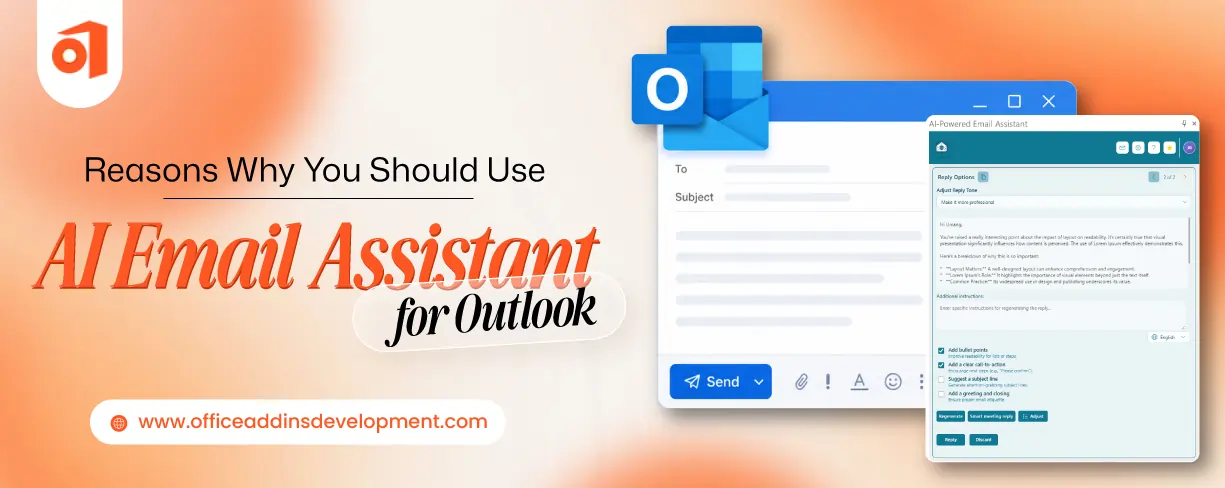
But now, you can tackle this using intelligent automation. Various email assistants are available, like for example, the AI Email Assistant by iFour, which helps you streamline your Outlook with drafting, paraphrasing, grammar suggestions, context-aware reply assistance, advanced summarization, and even phishing email detection.
With such AI email assistant, you can make writing and managing emails easier. It helps you handle repetitive tasks, organize your inbox, and stay focused on what actually matters.
This blog discusses the strong reasons to use AI email Assistant for Outlook and how they help you stay productive.
What Is an AI Email Assistant for Outlook?
Ifour Technolab's AI Email Assistant for Outlook is a sophisticated AI Outlook add-in that can help you handle emails efficiently. It can carry out tasks such as generating, summarizing, answering, and securing emails without human intervention.
The best thing is that you don't have to install any other email platform. It provides all the services directly inside Outlook, from professional email writing to detecting spam emails.
It can act as an Outlook email assistant that guides you to improve your way of communicating. The tool can support multiple AI models, including OpenAI, Azure OpenAI, and Ollama, so that you can choose any one based on your requirements.
Simplify reporting and analysis using custom Excel add-in solutions.
7 Reasons to Use an AI Email Assistant for Outlook
Let's discuss why every Outlook user needs AI Email Assistant in their workflow to manage overflowing emails.
1. Write Professional Emails in Seconds
Investing lots of time in composing recurring emails daily, along with maintaining professionalism, can lead to exhaustion. The AI Email Assistant can carry this out without your support.
This Outlook AI email add-on can generate the first draft of your email with simple prompts. You just need to review, modify (optional), and finalize it.
For effective communication, it can also adjust the tone of the email. Besides, you can refine your generated email to eliminate spelling, grammar, or punctuation errors.
2. Generate Smart Replies Instantly
When you receive thousands of emails every day, reading and replying to each one can slow down your other tasks. In such a situation, the AI assistant for Microsoft Outlook can easily generate personalized responses.
By looking at recipient details, email content, and previous conversations, this AI-powered Outlook add-in can customize the reply. After the response has been generated, you can modify it or directly finalize it.
3. Summarize Long Email Threads
Reading entire emails can be convenient until they are quantified in a single-digit series. And sometimes emails are too long and even have multiple attachments that can take hours to read.
But the Microsoft Outlook AI assistant can summarize the long email in just seconds. It can extract the important details to present in front of you.
Not only a single email, but you can get a summary of the entire email thread if you might have entered in between the conversation.
Develop powerful Teams add-ins tailored to your business needs.
4. Translate Emails into Multiple Languages
One of the problems in communicating across borders is language barriers. The AI Email Assistant for Outlook can simplify generating emails in multiple languages.
It will not compromise the context of the email while translating. Using other tools for translating incoming and outgoing emails can make you toggle from one place to another.
This inbox management tool provides multilingual support, reducing manual work and improving communication.
5. Detect Phishing and Suspicious Emails
Unauthorized users try to trick the employees of the company by making them click a fraudulent link or asking them to get access to the company's sensitive information.
To prevent such scams, AI Email Assistant notifies you regarding suspicious emails. This AI email generator for Outlook can analyze the illegal content of the email so that it can warn you.
Ensures secure and safe communication directly within Outlook.
6. Flexible AI Model Integration
Every organization has its own requirements and budget. Not every inbox management tool can fit their expectations. But Outlook's AI Email Assistant stands out in this regard.
It supports multiple AI model integrations, including OpenAI, Azure OpenAI, and Ollama. You can choose any one of these that can satisfy your security, budget, and workflow needs.
Because of this, it can cover a wide range of organizations from startups to enterprise-level.
Develop powerful OneNote add-ins for efficient documentation and collaboration.
7. Works Seamlessly Inside Outlook
Some tools require their own ecosystem to work. Due to this, users have to change their email platform. The AI Email Assistant is completely different from these tools as it works directly within Outlook.
It automates drafts, replies, summary generation, and security by integrating inside Outlook. You don't need to install any other software, or you don't need to use multiple tools for different purposes.
Conclusion: Outlook + AI Email Assistant
Whether you're a salesperson who presents a pitch to a suspect, a support person who solves users' queries, HR who communicates with candidates, or a manager who delegates tasks, AI Email Assistant will never disappoint you.
It improves business communication by maintaining required etiquette in the workplace. On top of this, it speeds up the emailing workflow, allowing you to focus on other meaningful work.
Remember, AI always acts as a helping hand. It will never replace human communication entirely. So, to explore more such AI-powered add-ons for the Microsoft ecosystem, get in touch with Office Add-ins by Ifour.
FAQs
1. Is AI Email Assistant suitable for small businesses?
Yes, the AI email assistant for Outlook is appropriate for small businesses because it automates email drafting, summarizing, and responding. Because of this, productivity will increase, and communication will improve.
2. How do I install AI Email Assistant in Microsoft Outlook?
Installing iFour Technolab's AI Email Assistant for Outlook typically involves adding the Outlook add-in to your Microsoft Outlook environment and configuring it with your preferred AI provider, such as OpenAI, Azure OpenAI, or Ollama.
The exact installation and configuration process may vary depending on your Outlook version and your organization's IT policies.
For a smooth setup, follow the installation guide provided by iFour Technolab.
3. How does AI Email Assistant improve productivity?
AI Email Assistant can carry out tasks such as composing emails from scratch, rephrasing already written emails, generating context-aware responses, summarizing long conversations, and proofreading email content without human support. Due to this, there is a reduction in their workload, which eventually boosts productivity.
4. Is AI email assistant secure to use?
Yes. iFour Technolab's AI Email Assistant is designed with flexibility in mind, allowing organizations to choose the AI deployment option that best aligns with their security and privacy requirements.

Kapil Panchal
A passionate Technical writer and an SEO freak working as a Content Development Manager at iFour Technolab, USA. With extensive experience in IT, Services, and Product sectors, I relish writing about technology and love sharing exceptional insights on various platforms. I believe in constant learning and am passionate about being better every day.


 12 Red Flags When Hiring an Office Add-in Development Company
October 05, 2026
 15 Best AI Email Assistants Worth Trying in 2026
July 07, 2026
 Top CRM Add-ins for Microsoft Outlook
June 23, 2026




 Say Hello
 Inquire