






October 16, 2026
If you're working in healthcare documentation, you already know the struggle. Some reports look polished, while others feel inconsistent and error-prone. And no one really knows why.
Here's what's changed:
Clinical workflows are expected to be faster, more accurate, and fully standardized.
But if you're still relying on manual formatting, you're leaving compliance, clarity, and patient trust at risk.
This is where Word add-ins for medical documentation can help. It acts as an extension that offers you quick access to the required features, such as formatting, quick templates, images, etc. - all in just a click.
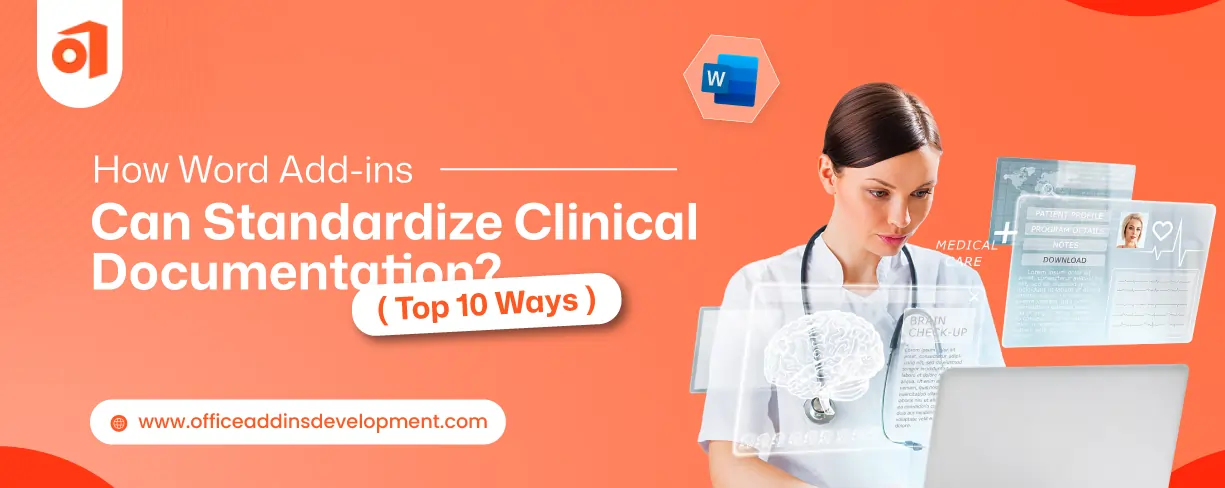
In this blog, we'll explore how Word Add-ins solve problems of healthcare documentation — and the top 10 ways it standardizes.
Why Standardization Matters in Clinical Documentation
Introducing practices to standardize medical documents brings clarity and consistency in the clinical documentation workflow. Benefits of standardized clinical documentation:
- Patient safety remains intact, and care gets enhanced due to properly formatted reports and medical notes.
- A consistent style is accepted by all the professionals, which reduces variations and hence boosts collaboration amongst the team.
- Standardized medical documents ensure compliance with regulatory standards to avoid any legal consequences and violations of patient safety.
- Standardized medical reports or other documents are easily interpretable, which enhances interoperability in the healthcare domain.
Well-formatted and properly toned medical documents can create a great impact in medical workflows by introducing standardization.
Custom Google Sheets add-ons built for smarter business workflows.
Top 10 Ways Word Add-ins Standardize Clinical Documentation
One clinician’s report seems completely different from another clinician's, even if they work in the same department. So, using Word add-ins for medical reporting can bring a sync in reporting styles. Let's explore the best ways through which Word add-ins can bring standardization in clinical documentation.
1. Pre-Built Clinical Templates
Word add-ins for clinical documentation templates consist of tons of ready-made templates reflecting different clinical purposes. So, on selecting a particular template, the clinicians will not need to begin from a blank document, as the document will automatically populate with the chosen template. Clinicians just need to enter the required information.
The things these templates include are:
- Predefined sections (mandatory as well as editable fields)
- Medically approved language
- Tables for reading and vital levels
- Check list, drop-down, and radio button
- Auto-filled input fields
These templates drive clinical documentation automation by eliminating the manual generation of documents from scratch, saving lots of time and maintaining a constant format. The chances of missing any detail reduce as necessary fields are turned into mandatory ones, which cannot be skipped.
2. Structured Data Entry Forms
Structured data entry forms are forms with different types of input fields that help clinicians to enter the details into the document. When clinicians fill in the form, the add-in will directly generate the document using the form details. This document will be well-formatted.
According to the need, Word add-ins for clinical documentation provide lots of variants of forms to maintain the convenience of healthcare professionals.
Now, less variability will be observed in the same medical note generated by different clinicians. Sharing medical documents between different hospitals or clinics becomes easier due to consistency in language and format. Rather than typing an entire document, filling out a form will be less time-consuming and less error-prone.
3. Integration with EHR Systems
Sometimes, you might have noticed that while generating any documents, some fields get automatically populated. This is possible because the Electronic Health Record (EHR) system allows Word add-ins to get connected with its stored data.
Word add-ins can get access to details like:
- Patient's personal information
- Past patient data
- Appointment records
- Clinical notes
- Medications
- Lab reports
- Treatment plans
Due to the presence of connectivity between EHR and Word, clinicians can easily pull out the patient record while generating any document, so it can automatically fill with that record. And when the document gets completed, then it can be easily pushed into the EHR without much effort.
This integration reduces the task of manually entering patient records, saving lots of time for clinicians. Also, due to auto-population, the risk of entering incorrect details gets eliminated.
4. Clinical Terminology & Coding Support
Word add-ins can also help with the language clinicians use in their documentation. It makes sure that proper medical terminologies, appropriate names of diagnosis, and correct coding standards are used.
Add-ins are already infused with standardized codes and terminologies that are frequently used in the medical field, so that professionals can recognize diseases, procedures, or medications without any confusion.
Besides, it provides
- Suggestions on appropriate terms to be used
- List of diagnoses that can be a perfect match
- Provides guidance on suitable codes
- Provides auto-complete options for universal clinical phrases
All this can contribute in maintaining accuracy, consistency, and compliance in medical documentation. In addition, there reduces chances of claim denials due to proper use of codes and terms.
Automate diagram creation with smart and scalable Visio add-in development
5. Real-Time Validation & Error Checking
Word add-ins not only help in providing proper structure and language to the documents but also help in finding errors. It detects the issues at the same time when the clinician is creating the notes or any medical report.
When clinicians enter any detail into the document, the add-ins immediately verify it and if finds any mistakes, then give alerts at that time only. This is what real-time error checking refers to.
Add-ins identify any issues based on the clinical rules and regulations that are being followed in the healthcare industry.
Word add-ins detect incomplete information, missing details, inappropriate or incorrect terms, invalid codes, and do not forget to validate the format style.
6. Automated Formatting & Report Structuring
Not only the language, but the proper format should also be maintained in clinical documents. Word add-ins can automatically provide a consistent look to notes, reports, or any medical letters while clinicians are creating them.
Due to this, a constant layout or format is maintained, no matter if documents are created by different professionals.
Word add-ins for medical reporting and note-taking provide real-time styling by following medically approved formatting rules.
Add-ins enhance clinical documentation automation by placing each section in proper order and at the proper place.
7. Audit Trails & Version Control
It is essential to maintain a record of all the actions carried out from the beginning when the document is created. This responsibility can also be fulfilled with the help of Word add-ins.
The activities which word add-ins keep record of are:
- Who acted on the document
- Who created that document
- Who approved that document
- What actions are carried out
- The date and time of that action
This boosts transparency and accountability in the clinical documentation workflow. Additionally, add-ins keep all the modified versions of the same document. So, if clinicians want to revert to the previous or any modified version, then they can.
8. Voice-to-Text & NLP Integration
Through word add-ins, clinicians can generate medical documents without worrying about mispronunciations, random pauses, or frequent repetition while dictating. These types of add-ins generally consist of Natural Language Processing (NLP) models.
Clinicians just need to dictate freely in their natural tone only. NLP will firstly convert speech into text by simply listening, and then will convert the raw text with lots of human errors into professional medical language.
NLP understands the intent of speech and, based on that, recognizes human-generated errors so that it can remove them. Finally, it will extract valuable information to present in the document.
It ensures that the document maintains proper medical tone by implementing correct terminologies, codes, and other clinical language standards.
9. Dot phrases (Content-Importing Phrases)
Dot phrases are nothing but small texts starting with a period “.” which are used as a shortcut to generate a long predefined clinical paragraph, or any template, or any small block with only layout. These are very helpful for clinicians while creating any medical document.
Instead of typing a long paragraph repetitively or selecting the same template frequently, clinicians just need to type dot phrases.
These short commands maintain consistency in language as well as in the appearance of the document.
Besides, it saves clinicians from getting exhausted by investing long hours in documentation.
Simplify project tracking with smart and scalable Planner add-in development
10. Reusable Content Blocks
Word add-ins reduce the repetitive tasks of clinicians by providing the facility of reusable content blocks. These blocks are paragraphs that are used frequently in medical reports, letters, notes, or discharge summaries.
To eliminate typing frequently used content while creating medical documents, add-ins provide a list of this content according to the type of document clinicians are creating. From this list, they can select and import that paragraph directly without typing the long paragraph repeatedly.
Through importing predefined clinical content into the document, consistency will remain intact, accuracy will not be compromised, and time will be saved.
Use Cases in Clinical Settings
Let's go through some of the applications of word add-ins for healthcare to standardize clinical documentation:
Radiology Reporting
Medical reports are an essential medium through which important decisions are made regarding the patient’s health. This points out that consistency in medical reporting can lead to improved patient health.
Radiologists find difficulty in maintaining a well-structured reporting system in their busy schedule. But by using Word add-ins for medical reporting, they can generate standardized and structured reports without investing much time.
Add-ins provide built-in templates, direct integration with EHRs, real-time error checking, and constant auditing.
Discharge Summaries
Discharge summary is a document that shows the whole medical journey of the patient from admission to discharge. Besides, it is also responsible for the post-treatment care of the patient.
It is shared with the patient, referring physicians, and surgeons, so there is a need to maintain a standard format for it. For this purpose, Word add-ins for discharge summaries are used, which provide lots of features to maintain consistency.
In order to speed up the discharge process without compromising accuracy, add-ins provide discharge summary templates, reusable discharge instructions, and multiple dot phrases for shortcuts to long clinical contexts.
Progress Notes and SOAP documentation
SOAP notes are documents that are used throughout the medical process. These are regularly updated based on the patient’s health condition and are referred by clinicians daily. Also, progress reports are created by referring to SOAP notes and medical reports to track any changes in the patient's condition.
Word add-ins contribute to generating SOAP notes and progress reports by ensuring proper format is maintained, and strict medical terminology is followed. Add-ins enhance healthcare document automation by reducing the manual efforts of clinicians to a great extent.
Multi-Specialty Hospital Workflows
Multi-specialty hospitals generally have a wide variety of experts who have their own way of creating medical documents. This can cause confusion and misunderstandings in the department.
But Word add-ins can solve this problem as it provides specialty-based templates to maintain a consistent way of styling and writing the medical document across different departments.
It boosts the interoperability of data across departments, hospitals, or time zones.
Transform digital note-taking with powerful Microsoft OneNote add-in integrations
Benefits of Using Word Add-ins in Healthcare
Word add-ins can push documentation to another level without disrupting the existing medical workflow. Some of the advantages of using Word add-ins in healthcare documentation are:
- Faster clinical documentation with Word add-ins can be experienced compared to manual typing and formatting.
- Enhances the accuracy of documentation by real-time error checking.
- Consistent structure and medical language are maintained for standardized clinical documentation.
- Boost collaboration amongst the team by ensuring consistency in medical reports, notes, letters, and discharge summaries.
- It ensured compliance with all security standards that lie under the healthcare domain.
Boost clinical documentation with Word add-ins
There is no longer a choice between meeting deadlines and standardizing documents. As clinicians can achieve both with the help of Word add-ins. Clinicians can transform their messy free-style clinical notes or reports into a professional, structured document with just one click.
Healthcare experts think that to maintain standardized documentation, they need to restructure their entire workflow and have to accept a completely new way. But this is a myth. They just need to install the appropriate Word add-in to standardize reports, letters, and discharge summaries.
In the healthcare industry, medical documentation standardization is essential to ensure proper patient care. Less variability in documentation will reduce misunderstandings and confusion, leading to accurate interpretation and correct decisions.
Ready to build smarter Office add-in solutions? Partner with Ifour's expert add-in developers today.
FAQs
1. How do Word add-ins help standardize clinical documentation?
Word add-ins help standardize clinical documentation by providing built-in templates, data entry forms, medical terminology & coding support, speech-to-text conversion using NLP, and much more.
2. Do Word add-ins reduce documentation errors?
Yes, Word add-ins can identify missing details, incorrect fields, or incomplete information at the time of document generation and highlight them to get immediate attention.
3. Are Word add-ins useful for radiology and other specialties?
Absolutely. Word add-ins can be useful for any specialty because it is designed to maintain consistency in documentation, improve workflow efficiency, and reduce repetitive tasks irrespective of the specialty.
4. Are Word add-ins secure for handling patient data?
Yes, Word add-ins are completely secure as they are built by considering all regulatory healthcare standards that are introduced for patient data safety.
5. What should healthcare providers look for in a Word add-in?
Healthcare providers should look for such Word add-ins that are completely compliant with healthcare standards, reduce clinicians’ workload, enhance consistency in medical documentation, fit within existing workflow, and increase patient care.

Kapil Panchal
A passionate Technical writer and an SEO freak working as a Content Development Manager at iFour Technolab, USA. With extensive experience in IT, Services, and Product sectors, I relish writing about technology and love sharing exceptional insights on various platforms. I believe in constant learning and am passionate about being better every day.


 How Office Add-Ins Fit into Core Healthcare Applications
October 16, 2026
 Best AI & Automation Excel Add-ins Worth Using In Business
October 13, 2026
 Benefits of Using Microsoft Graph with Outlook Add-ins
October 08, 2026
 12 Red Flags When Hiring an Office Add-in Development Company
October 05, 2026





 Say Hello
 Inquire