







October 21, 2026
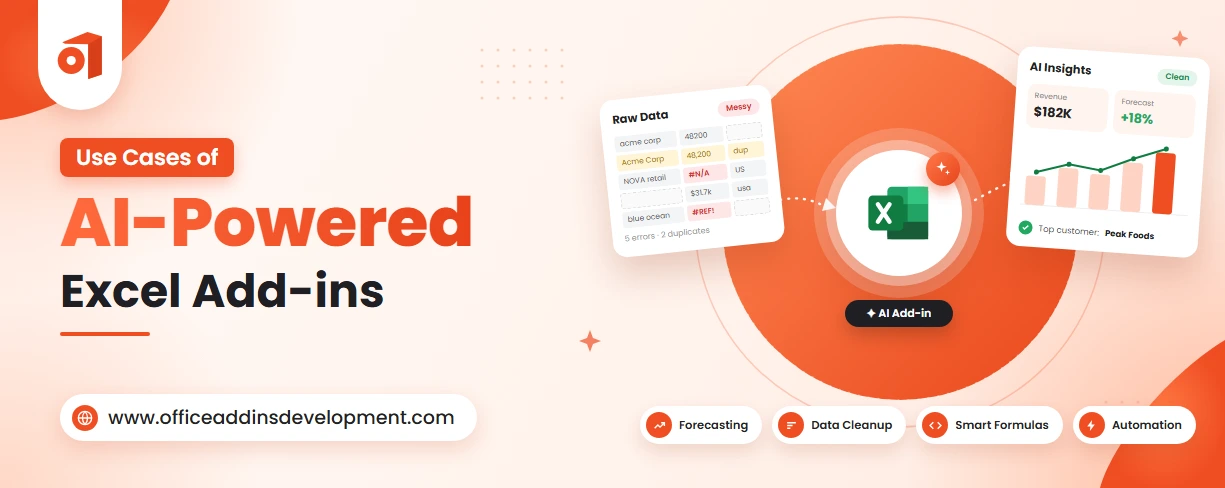
Most people think Excel is just for rows, columns, and calculations. But what if your spreadsheet could spot trends, answer questions, and even predict what happens next?
That's exactly what AI-powered Excel add-ins bring to the table.
They help you simplify a large amount of data, automate calculations, spot trends, and enable quick decisions using smart features.
Here's the surprising fact: Microsoft found that 75% of knowledge workers now use AI at work, while 90% say it helps them save time.
So, it should come as no surprise that AI-powered Excel add-ins are changing the way businesses analyze data, uncover opportunities, and make decisions faster than ever.
Let's move further and discover the real-world applications of AI Excel add-ins.
9 Practical Use Cases of AI-Powered Excel Add-ins
AI-powered Excel add-ins are not limited to just formula automation, data analysis, and statistical modeling. It is way more than that. Let's look at how different AI in Excel use cases can help teams save time, minimize errors, and make better decisions.
Formula Generation and Troubleshooting
AI-powered Excel add-ins can generate formulas from plain-language instructions. Users can describe what they want to calculate, and the AI can suggest a suitable Excel formula.
It can also explain existing formulas, identify potential errors, and recommend corrections when a formula returns an unexpected result.
If user manually constructs the formula and it returns error, then AI can give possible solution to fix it.
This reduces the effort involved in writing and troubleshooting formulas, allowing users to spend more time analyzing results rather than figuring out Excel calculations.
Build feature-rich to improve organization and team efficiency OneNote add-ins.
Automated Data Cleaning and Transformation
Before analyzing the data, there required hours to fix duplicate entries, align formats, and remove typos.
AI-powered Excel add-ins can simplify this process by helping identify duplicate records, detect missing values, flag inconsistent formats, and standardize data.
They can also assist with transforming raw information into a structured format suitable for analysis.
This reduces the time spent preparing spreadsheets and helps businesses move more quickly toward data analysis and decision-making. However, AI-generated corrections should be reviewed to avoid removing valid records or making incorrect changes.
Read More: Top 10 Outlook Add-ins to Secure Your Email
Document Data Extraction and Cross-Referencing
Entering the details manually and checking each document against existing records can take hours.
AI-powered Excel add-ins can help extract relevant information from supported documents and organize it into spreadsheet columns.
They can also assist with cross-referencing extracted details against existing Excel records to identify mismatches, missing entries, and duplicate invoice numbers.
Due to this:
-
Repetitive data entry is reduced
-
Document processing gets sped up
-
Record verification becomes efficient
Natural Language Data Analysis and Querying
AI Excel add-ins allow users to analyze spreadsheet data using plain-language questions instead of complex formulas or manual calculations.
Users can ask questions about their data, and the AI can help identify relevant information, calculate metrics, summarize trends, and generate insights based on the available records.
This makes data analysis more accessible to users who may not have advanced Excel skills. It also reduces the time spent navigating large spreadsheets and helps teams focus on understanding business performance and making informed decisions.
Bulk Content Generation and Translation
AI-powered Excel add-ins can help users generate content in bulk and translate spreadsheet data into multiple languages.
By using AI prompts, users can create product descriptions, summaries, email drafts, promotional text, and other content directly from existing spreadsheet information.
They can also translate selected columns into different languages while keeping the content organized in the same workbook.
This helps businesses eliminate repetitive writing tasks, speed up content production, and manage multilingual information more efficiently.
Automate diagram creation with smart and scalable Visio add-in development.
Live Market Intelligence and Commodity Tracking
Manually checking multiple websites, updating Excel sheets, and comparing historical prices makes it difficult to track the changes efficiently.
Excel plug-ins with AI capabilities can connect spreadsheet workflows with external market data sources and help users analyze commodity prices, market trends, supplier rates, and pricing fluctuations.
Depending on the add-in and its integrations, data can be refreshed in real time, at scheduled intervals, or through manual updates.
AI can then help summarize market movements, identify unusual price changes, compare historical data, and generate insights to support purchasing decisions.
Read More: Top 10 Outlook Add-ins to Secure Your Email
Autonomous Multi-Step Agent Workflows
Completing each step manually can take hours, especially when the same process must be repeated every month.
AI-powered Excel add-ins with agent-based capabilities can help automate multiple connected tasks within a single workflow.
Instead of asking the AI to perform each action separately, users can provide an overall goal, and the AI agent can break it into smaller steps, execute supported operations, and use intermediate results to determine what to do next.
Inventory and Demand Management
Reviewing thousands of records and comparing historical sales with current stock levels can be time-consuming, and inaccurate estimates may lead to stockouts or excess inventory.
AI-powered Excel add-ins can help analyze inventory data, identify stock-level patterns, estimate future demand, and highlight products that may require replenishment. By examining historical sales, seasonal trends, current stock levels, and order information, AI can help businesses make more informed inventory planning decisions.
This allows businesses to plan purchases more effectively, reduce the risk of stockouts, avoid unnecessary overstocking, and improve inventory control.
Error Detection and Data Validation
Checking every row manually is time-consuming, especially when spreadsheets are updated frequently.
AI-powered Excel add-ins can identify suspicious entries, detect inconsistencies, and highlight values that may require correction.
They can analyze patterns across records, compare related fields, and flag information that does not match expected formats or business rules. Combined with Excel's built-in data validation rules, these capabilities can help users maintain more reliable spreadsheet data.
Businesses can get rid of manual checking, improve data consistency, and catch potential errors before they affect important decisions.
Create smarter email experiences with innovative Gmail add-in development services.
How to Choose the Right AI-Powered Excel Add-in
Finding an AI-powered Excel add-in is easy, but finding one that matches your tasks, budget, and business goals requires a little more thought. Let's look at what you should evaluate before making a decision.
-
Identify the specific Excel tasks you want to automate, such as data cleaning, report generation, or formula creation, and choose an add-in that addresses those needs.
-
Evaluate whether the add-in offers the features you need and has an intuitive interface that makes tasks easy to perform without requiring advanced Excel skills.
-
Ensure the add-in is compatible with your Excel version, Microsoft 365 subscription, operating system, and required platforms, including Windows, Mac, and Excel for the web.
-
Check how the add-in collects, stores, and processes data, and verify its permissions, encryption, and security measures to protect sensitive business information.
-
Ensure the add-in integrates smoothly with your existing business tools and can scale to handle growing data volumes, users, and workflow requirements.
Improve Business Productivity with AI-Powered Excel Add-ins
AI-powered Excel add-ins are transforming how businesses work with spreadsheets by simplifying repetitive tasks, automating complex workflows, and making data analysis more accessible.
From automated data cleaning and formula generation to inventory management, market intelligence, content translation, and error detection, these add-ins help teams spend less time on manual work and more time on meaningful business activities.
However, choosing the right solution depends on your business needs, existing workflows, data security requirements, and the level of automation you want to achieve.
The goal is not just to work faster in Excel but to improve accuracy, streamline operations, and make better-informed business decisions.
FAQs
1. What tasks can AI-powered Excel add-ins automate?
AI-powered Excel add-ins can automate tasks such as data cleaning, formula generation, report creation, data analysis, chart generation, document data extraction, translation, error detection, inventory tracking, demand forecasting, and repetitive multi-step workflows.
2. How do AI add-ins improve Excel data analysis?
AI-powered Excel add-ins improve data analysis by identifying trends, detecting anomalies, summarizing large datasets, generating formulas, and answering questions in natural language, helping users gain insights and make data-driven decisions faster.
3. Are AI-powered Excel add-ins suitable for small businesses?
Yes, AI-powered Excel add-ins are suitable for small businesses because they automate repetitive tasks such as data entry, data cleaning, report generation, and sales analysis. They help save time, reduce manual errors, and improve productivity without requiring expensive enterprise software. Small businesses should choose an add-in that fits their budget, security needs, and workflow requirements.
4. Are AI-generated Excel formulas always accurate?
No, AI-generated Excel formulas are not always accurate. They may contain syntax errors, misunderstand business logic, or produce incorrect results due to incomplete or unclear instructions. Users should verify the formulas, test them with sample data, and confirm that the results match the intended calculations before relying on them.
5. Can businesses develop custom AI-powered Excel add-ins?
Yes, businesses can develop custom AI-powered Excel add-ins tailored to their specific workflows, such as automated reporting, data analysis, forecasting, and error detection. An experienced Excel add-in development company can integrate AI models, business systems, and custom automation features to improve productivity, meet security requirements, and support business growth.

Kapil Panchal
A passionate Technical writer and an SEO freak working as a Content Development Manager at iFour Technolab, USA. With extensive experience in IT, Services, and Product sectors, I relish writing about Azure Cloud, Data Analytics, AI, & Workflow Automation and love sharing exceptional insights on various platforms. I believe in constant learning and am passionate about being better every day.


 Use Cases of AI-Powered Excel Add-ins
October 21, 2026
 How Office Add-Ins Fit into Core Healthcare Applications
October 16, 2026
 Best AI & Automation Excel Add-ins Worth Using In Business
October 13, 2026
 Benefits of Using Microsoft Graph with Outlook Add-ins
October 08, 2026
 12 Red Flags When Hiring an Office Add-in Development Company
October 05, 2026





 Say Hello
 Inquire